<!doctype html>
How to Create a Seller Account on Daraz.pk. Complete Step-by-Step Guide (2026)
Medically reviewed by Not applicable. | Written by PromptOG.Store Team | Updated 07 February 2026
⚡ Quick Summary
- Best route for individuals: Local Seller (Use CNIC).
- Best for registered businesses: Corporate/Sme Account (NTN and company docs).
- Speed & fulfilment: Use Daraz Express or Fulfillment by Daraz for faster delivery and better visibility.
TL;DR: Register at Daraz Seller Center. Prepare CNIC/NTN, bank details, product photos and business documents. Complete the verification todo list, set up listings using CSV or single product UI, choose fulfillment option, and optimize listings with keywords and high-quality images.
Introduction
Daraz is Pakistan’s leading marketplace for online retail. Whether you’re a small artisan, an established retailer, or a registered company, launching a Daraz store opens access to millions of customers across Pakistan. This guide walks you through the practical steps and operational decisions needed to go from zero to your first sale, and beyond. It covers account types, documentation, the sign-up flow, product listing strategies, Daraz Express / Fulfillment by Daraz options, fees, payouts, and practical optimization tips that help maximize visibility and conversion.
What account type should you choose?
Daraz supports multiple seller profiles. Choosing the correct account type at registration prevents verification delays and compliance friction later. The main types are:
- Local Individual (Personal Seller): For sole proprietors selling under their CNIC. Suitable for small sellers and side-hustles.
- Corporate / Business Seller: For registered companies or merchants with NTN and formal business documents. Required for brands, high-volume sellers, and Daraz Mall applicants.
- DarazMall / Brand Verified: For official brand resellers and authorized distributors. Requires stronger documentation like trademark certificates and authorization letters.
Documents & Requirements (Checklist)
Before you begin the sign-up process gather the following. Having them at hand speeds verification.
- For individuals: CNIC (front + back photo), personal phone number, email, bank account details (cheque front or bank letter), valid address, 1-3 product photos.
- For businesses: NTN certificate, business registration document (SECP / PTCL ledger / trade license), bank account proof, CNIC and contact of the authorized person, company letterhead (for DarazMall), trademark or brand authorization (if applying as a brand).
- Image & listing assets: High-resolution product images (ideally white background), product titles, SKU/brand info, accurate weights and dimensions (for shipping cost calculation).
- Optional but recommended: Business email, bank account under business name, sales tax registration (where applicable), and a return/fulfillment plan.
Step-by-step Sign-up (Practical)
Step 1. Open the Daraz Seller Registration page
Visit Daraz’s official registration page and click the Sell on Daraz / Register button. You can register using the desktop site, the mobile web flow or the Daraz Seller Center app. For Pakistan the primary entry points are the Sell on Daraz landing page and the Seller Center portal.
Step 2. Choose account type and start form
Select Local Seller (individual) or Corporate Seller depending on your situation. Fill in the basic contact details: full name, valid mobile number, email address, and desired shop name. Pick a password and accept terms.
Step 3. Complete the “To-do” verification list
After basic registration, Daraz provides a to-do list inside Seller Center. Typical items include:
- Phone verification (OTP).
- Email verification (confirmation link).
- Upload CNIC (individual) or corporate file (business).
- Upload bank cheque picture or bank letter for payouts.
- Store address and pickup preferences.
Step 4. Document verification by Daraz
Daraz’s verification team reviews documents. Small mismatches (e.g., name mismatch between CNIC and bank account) can cause delays. Use clear, cropped images and exact name spellings. Once approved your store moves from pending to active and you can publish listings.
Using the Seller Center & App
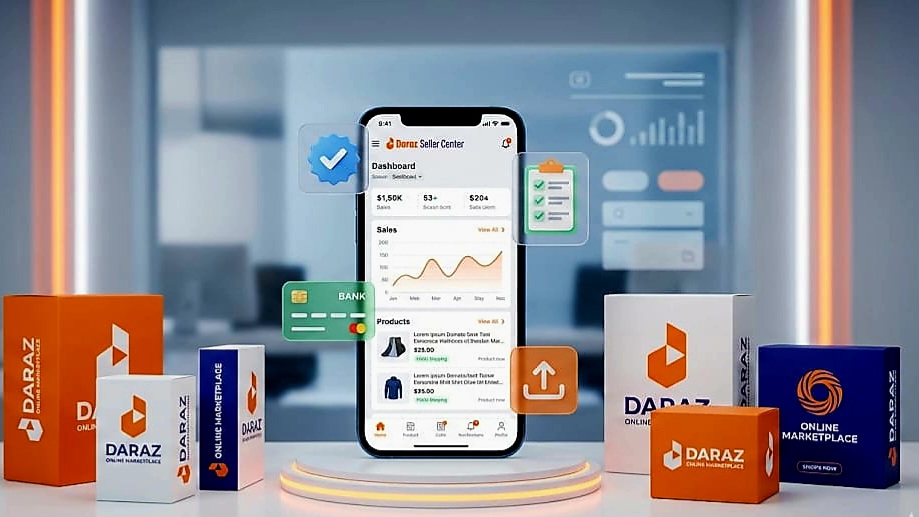
Seller Center is Daraz’s backend control panel for inventory, orders, promotions, and analytics. It is available as a web portal and an Android/iOS app (Daraz Seller Center). Key areas:
- Dashboard: Sales summary, pending orders, performance notifications.
- Products: Add single products or bulk upload via CSV/Excel template.
- Orders: Fulfil orders, print invoices, manage returns.
- Marketing & Vouchers: Apply for campaigns or set store coupons.
- Analytics: Track conversion rate, traffic sources and top-selling SKUs.
Listing Products (Best practices)
Correct listings reduce returns and increase conversion. Follow these practical rules:
Title & Keywords
Write clear, searchable product titles. Include brand, model, size, color and a main keyword early in the title. Avoid stuffing unrelated terms.
Images
Use multiple high-resolution images that show product from different angles. Include at least one white-background hero image and one lifestyle/context photo. Use alt attributes for accessibility and SEO.
Descriptions
Write a concise benefit-first product description followed by technical specs. Use bullet points for key features and a short warranty/return policy line.
Pricing & Inventory
Set competitive prices factoring in commission, shipping and packaging. Keep stock quantities accurate and update on high-velocity SKUs more frequently.
Bulk Upload
For large catalogs use Daraz CSV templates. Validate the CSV locally first, then upload. Check for required columns like SKU, price, stock, category id and shipping weight.
Shipping & Fulfillment Options
Daraz offers multiple shipping methods. Selecting the right model influences delivery speed and customer satisfaction.
Daraz Express (DEX)
Daraz Express is Daraz’s in-house logistics network. Using DEX often improves visibility in search and trust badges for customers. DEX pickup and delivery are integrated with the Seller Center. Consider DEX if your product dimensions and weight fit their requirements.
Fulfillment by Daraz (FBD)
FBD allows sellers to store inventory in Daraz warehouses. Daraz handles picking, packing and delivery. This improves delivery reliability and can qualify products for Prime-like badges. You must create inbound orders and follow FBD packaging rules.
Self-fulfilled / Third-party courier
You can also ship using your courier or local logistics partner. Ensure tracking numbers are uploaded to Seller Center and return handling is defined clearly in your shop policy.
Fees, Commission & Cost Calculation
Daraz charges marketplace commission and related fees. Commission rates vary by category and can change. Typical fee components include:
- Marketplace commission: Percentage of sale price by category.
- Payment processing fee: Applied on certain channels like cash on delivery vs. pre-paid.
- Item handling fee / packaging fee: May apply for specific categories or fulfillment options.
- Penalties: Late shipment, order cancellations or misclassified categories can lead to penalties.
Always check the official Daraz Commission and Fee page for the latest rates. Factor all fees into your price to ensure target margins remain intact.
Payments & Payouts
Daraz aggregates sales and disburses payouts to your registered bank account. Typical flow:
- Order placed and customer payment processed.
- Daraz confirms delivery and clears returns period where applicable.
- Payout is calculated (sales minus commissions & fees) and scheduled to transfer to seller bank account.
Payout frequency and minimum thresholds vary. Keep accurate bank details and update the payout account promptly if it changes.
Optimization & Launch Checklist
Before you go live, run this checklist:
- All required documents uploaded and verified.
- At least 10 well-optimized product listings with high-quality images.
- Shipping settings configured and DEX/FBD preferences set (if applicable).
- Store policies (returns, warranty) filled out.
- Promotional vouchers or discounts prepared for launch campaigns.
- Test order placed to validate the fulfilment flow and payout entries.
Small pre-launch tests reduce early negative reviews and operational friction.
Frequently Asked Questions
Q. How long does verification take?
A. Typical verification can take 24–72 hours once all documents are submitted correctly. Complex corporate verifications may take longer.
Q. Can I sell without a business registration?
A. Yes, as an individual seller with CNIC you can start. For larger-scale or brand-authorized operations a registered business account is recommended.
Q. Are there monthly fees to keep a Daraz store?
A. Daraz’s primary charges are commission-based. Some optional services like FBD storage may have additional charges. Verify the current seller agreement for specifics.
Q. How do I apply for DarazMall?
A. DarazMall requires brand authorization, trademarks, higher documentation and often a performance history. Contact Daraz Seller Support for the application pathway.
Troubleshooting & Support
Common problems and fixes:
- Document rejected: Re-scan and upload clear images. Ensure names match bank details.
- Account not visible: Check the to-do list for pending verification tasks.
- Order shipping issues: Check pickup instructions, tracking numbers and courier integration in the Orders tab.
Daraz provides a Help Center and Seller Support channels inside Seller Center. Use the support ticket function for escalations.
Meet Our Experts
PromptOG.Store E-commerce Team. Practical marketplace operations and content specialists. This guide consolidates official Daraz guidelines and operator best-practices as of the date above.